- Docs
- Durable jobs
- When a job is stuck
When a job is stuck
Adopt a job whose controller is gone, or abandon it on the box.
How you got here: Desktop app What a box needs 1. Create the controller key 2. Pair a box How a job behaves Who drives
Show previous steps 6
Install 1
- Desktop app
Download the desktop app for your OS and open it.
The macOS zip holds Jumpgate.app and Jumpgate Terminal.app; Windows has jumpgate-tray.exe and jumpgate.exe; Linux has install.sh. Every download carries both Linux agents.
Show image
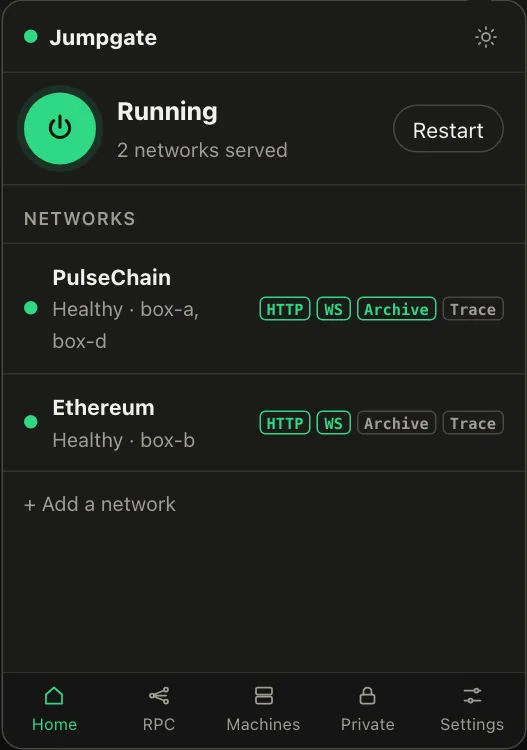
Illustration from the jumpgate.app demo, with made-up boxes; not a screenshot of the app.
Getting started 3
- What a box needs
A Debian or Ubuntu box with systemd, reachable as root over SSH.
Setup needs root (or passwordless sudo with --sudo) and checks Linux, systemd and disk first. The node itself runs as an unprivileged account.
- 1. Create the controller key
Create the key that signs every command to your boxes.
jumpgate keys init stores it in the Keychain, Credential Manager, Secret Service, 1Password or an owner-only file. It never leaves your computer.
Show image
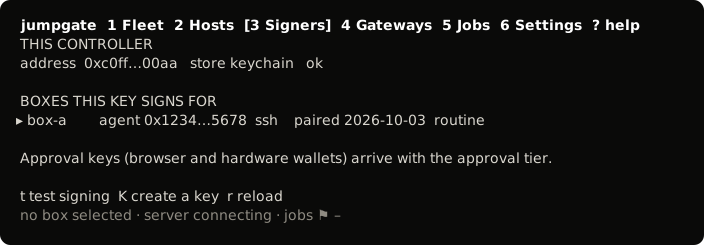
The TUI, from its test snapshot; empty rows removed. - 2. Pair a box
Install the agent on a box and confirm its host key.
You confirmed the box's fingerprint, and jumpgate installed jumpgate-agent.service and a restricted tunnel user. The box now takes only signed commands.
Show image
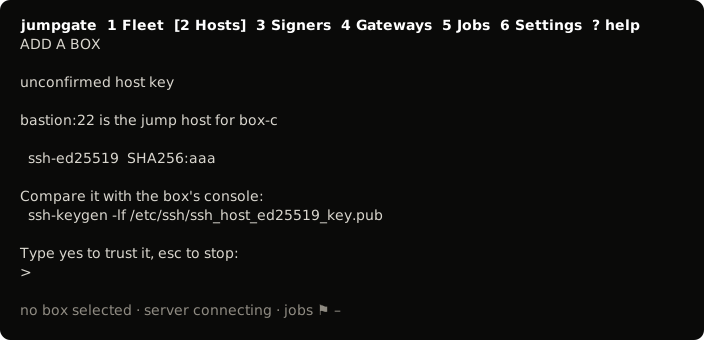
The TUI, from its test snapshot; empty rows removed.
Durable jobs 2
- How a job behaves
A job runs fixed steps on the box and asks when it must.
Each step runs as a transient systemd unit, so a running step outlives the TUI; the agent keeps a signed log, and the box refuses service actions until the job ends.
Show image
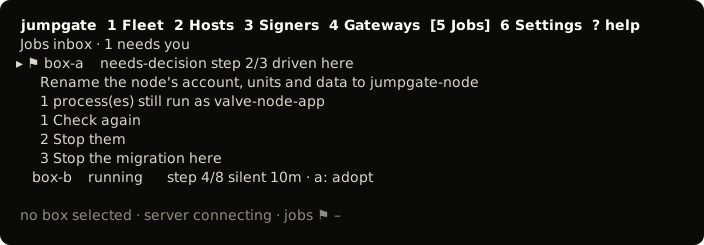
The TUI, from its test snapshot; empty rows removed. - Who drives
One controller holds a job's lease; the others watch.
A lease silent for 90 seconds is stale, and adopting it is your decision.
- Its controller is gone: adopt it once its lease is stale.
- No signed request can move it: stop the agent, then run
sudo jumpgate agent job-abandon JOB --yeson the box. It refuses while a step of the job is still running. It ends the job as failed, with a signed log entry saying a local operator abandoned it. Start the agent again afterwards, and look at the job's log and output before you start another one.