- Docs
- Durable jobs
- How a job behaves
How a job behaves
A job runs fixed steps on the box and asks when it must.
How you got here: Desktop app What a box needs 1. Create the controller key 2. Pair a box
Show previous steps 4
Install 1
- Desktop app
Download the desktop app for your OS and open it.
The macOS zip holds Jumpgate.app and Jumpgate Terminal.app; Windows has jumpgate-tray.exe and jumpgate.exe; Linux has install.sh. Every download carries both Linux agents.
Show image
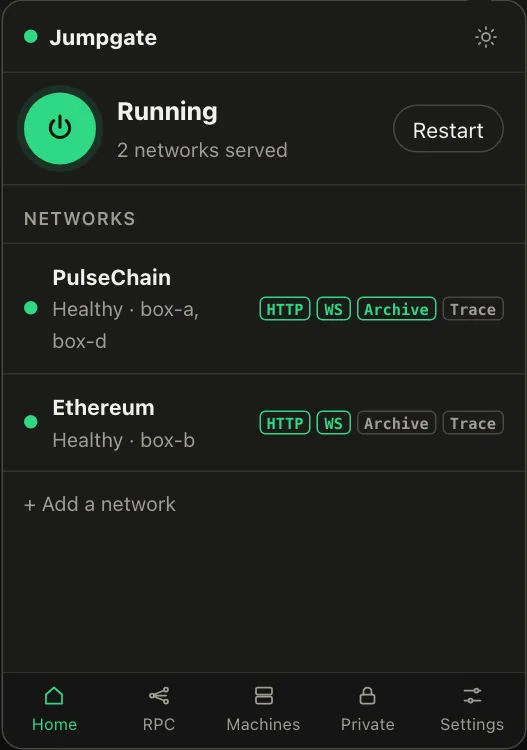
Illustration from the jumpgate.app demo, with made-up boxes; not a screenshot of the app.
Getting started 3
- What a box needs
A Debian or Ubuntu box with systemd, reachable as root over SSH.
Setup needs root (or passwordless sudo with --sudo) and checks Linux, systemd and disk first. The node itself runs as an unprivileged account.
- 1. Create the controller key
Create the key that signs every command to your boxes.
jumpgate keys init stores it in the Keychain, Credential Manager, Secret Service, 1Password or an owner-only file. It never leaves your computer.
Show image
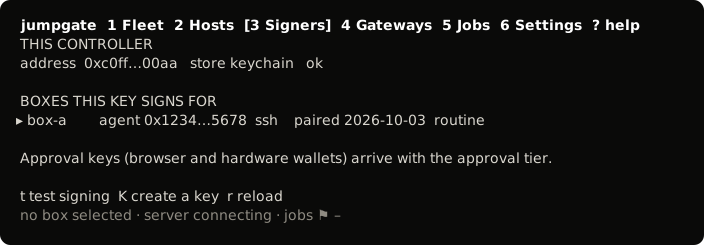
The TUI, from its test snapshot; empty rows removed. - 2. Pair a box
Install the agent on a box and confirm its host key.
You confirmed the box's fingerprint, and jumpgate installed jumpgate-agent.service and a restricted tunnel user. The box now takes only signed commands.
Show image
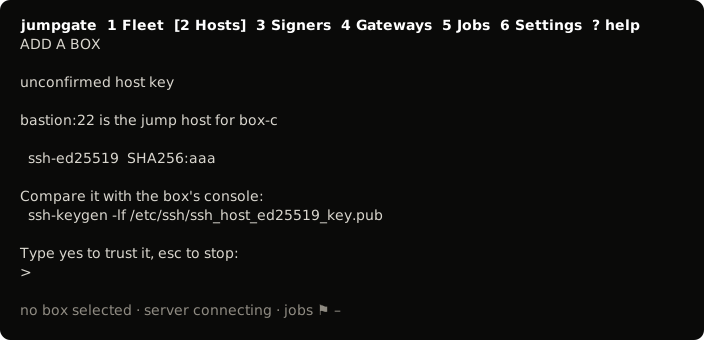
The TUI, from its test snapshot; empty rows removed.
- It keeps a signed log. The agent records every start, step outcome and answer in a signed, append-only log that any controller verifies against the box's agent key.
- It runs a fixed plan. A job never takes shell from anyone. The agent runs each step of a fixed plan for its kind; the controller that drives the job starts each next step. If that controller goes away, the job finishes the step it is on and waits.
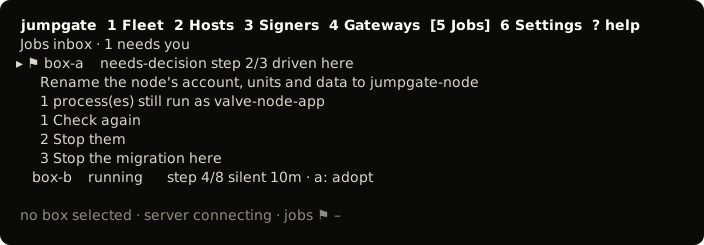
- It asks. A step that cannot choose safely asks you, and the job waits.
- It survives reboots. If the box reboots in the middle of a step, the job asks before it runs that step again. It never reruns one on its own.
- The node is the job's. While a job on a box has not finished, the box refuses service start, stop and restart, and the controller refuses node setup and clear on it.
Jobs run on Linux boxes with systemd. Any controller, on macOS, Windows or Linux, can list and watch them. The controller that holds a job's lease answers its questions; any other can adopt it once the lease is stale.